Apps I built because I needed them.
Every one of these started as a problem in my classroom or on my own home screen. Most of them are free and open source, so if one fixes your problem too, take it. (teachChat gets its own spot on the homepage.)
The whole shop, from a Chromebook.
My lab runs on school Chromebooks, and school Chromebooks can’t install anything. So I built one website per machine. Kids make the thing in the browser, I set the limits, and the machine does the rest. All four are free and open source, so take them for your own room.
 uploadmycode
Arduino, minus the install headache.
Write a sketch, hit upload, and it goes straight to an Arduino Uno over USB. There’s a serial monitor built in for debugging. No installs, no chasing drivers, no waiting on IT. If it can plug in a board, it can run it.
Open uploadmycode.com → uploadmylaser
Laser cutting, kid mode.
LightBurn won’t run on a Chromebook, and I’m not walking thirty kids through it anyway. Students drop in a drawing (or just type their name), lay it out on the bed, and send it. They never touch power or speed. I set that per material, and every job traces its outline with the beam off before Send unlocks.
Open uploadmylaser.com → uploadmycut
Milling with guardrails.
Open a drawing, pick a shape, or type some text, then tell each line what to do: cut out, cut a hole, engrave, or pocket. It flags anywhere the bit is too fat to fit, shows you the carved board before anything spins, and spits out a file for our Shapeoko. The bit, speeds, and depths all come from me.
Open uploadmycut.com → uploadmymodel
3D printing, sliced in the browser.
Drop in a model, set it on the bed, and pick from short lists (layer height, infill, walls, supports, brim). Out comes G-code to carry to our LulzBot on an SD card. Temps and speeds are locked to the class profile, so nobody melts a nozzle. Hopefully.
Open uploadmymodel.com →Source on GitHub (MIT): uploadmycode · uploadmylaser · uploadmycut · uploadmymodel
Music the whole room agrees on.

Android widgets, no trackers.
 OPEN SOURCE · ANDROID
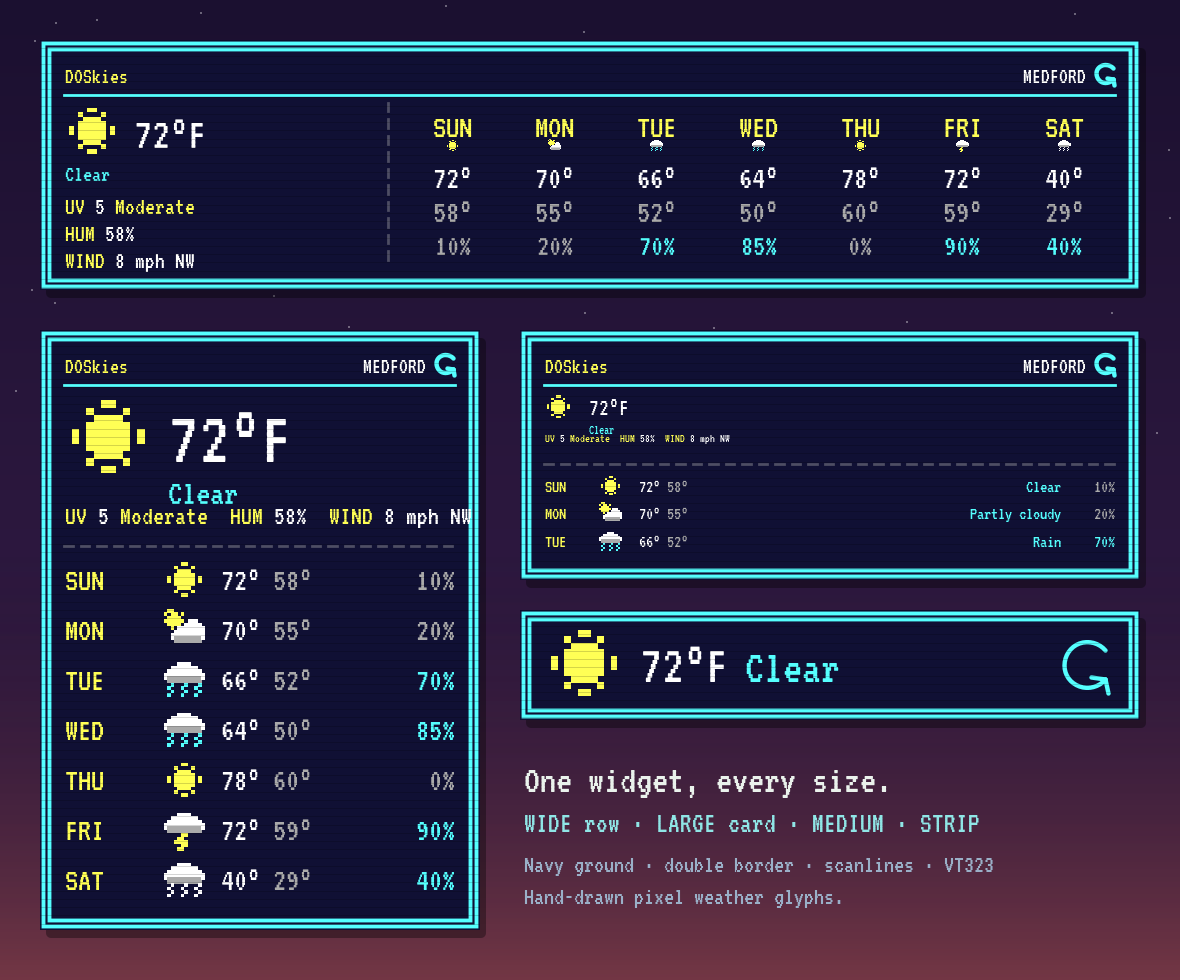
DOSkies: a weather widget that minds its own business.
I wanted the week’s forecast on my home screen without an app selling my location. So: seven days, drawn in a DOS/pixel style, CGA colors and all. No ads, no trackers, no account. It talks to one weather service (Open-Meteo) and that’s it.
View on GitHub (MIT) →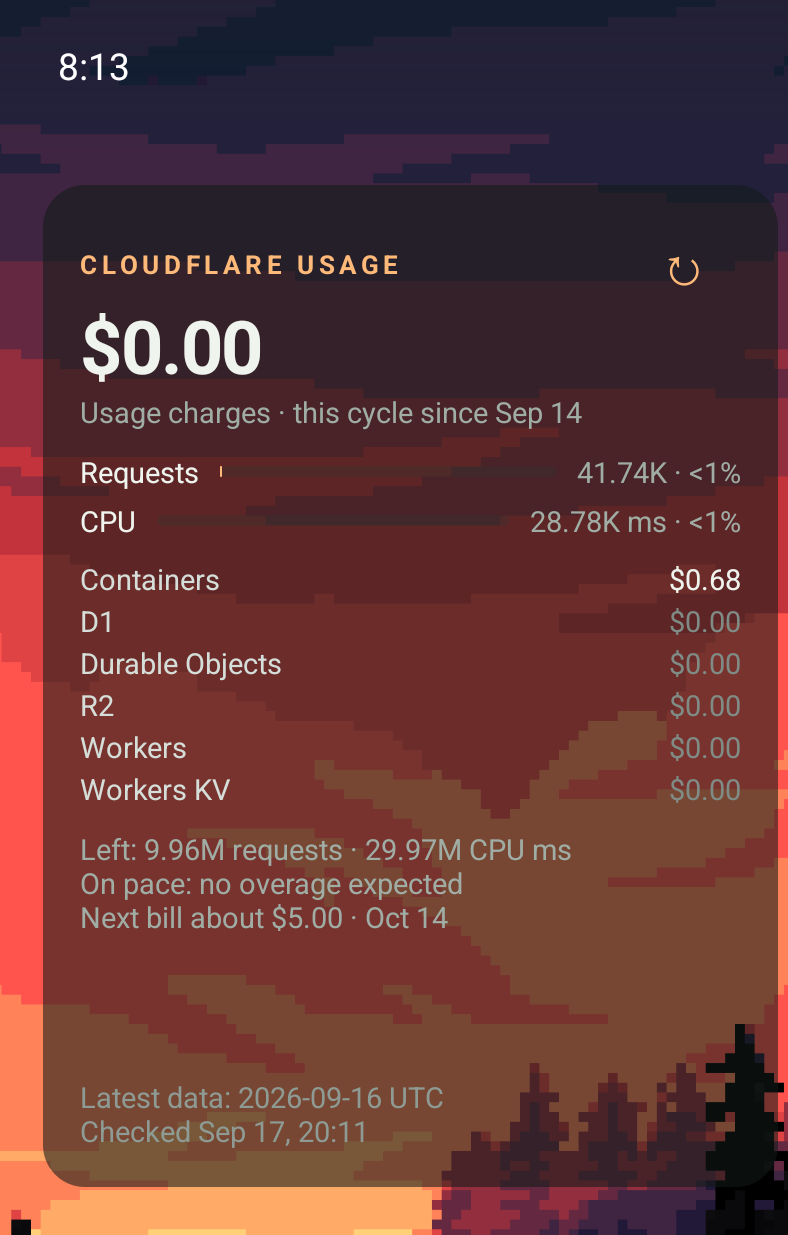 OPEN SOURCE · ANDROID
Usage Widget for Cloudflare.
I run a handful of sites on Cloudflare, and I like knowing what the bill looks like before it shows up. This puts this month’s charges, Workers usage, and the next invoice right on my home screen. Your token stays encrypted on your phone, with no server in the middle. Not affiliated with Cloudflare, just a fan.
View on GitHub (MIT) →